 NoBuy · iPhone & Android
Make not spending feel like winning
The no-spend challenge, built as a game instead of a spreadsheet. Streaks you want to protect, envelopes that warn you before you overspend, and a plant that grows every day you do not buy.
- Free forever
- No account
- No bank linking
Started in under a minute
You saw the video, you felt the spark, and the spark has a shelf life. Three decisions and you are running.
- 1
Pick how strict you want to be
No-Buy means $0 in the categories you choose. Low-Buy lets you set your own limit and still counts the day. You can change your mind later.
- 2
Choose what you are cutting, and what you get at the end
Takeaway, clothes, impulse buys — whichever ones actually get you. Then name the reward waiting at day 30, so the finish line is a thing and not a date.
- 3
Answer one question a day
“Did you stay no-buy today?” That is the entire habit. Tap yes, the streak grows, and the money you did not spend adds up — and your first check-in opens right away, so Day 1 starts now rather than tomorrow.
What you actually use
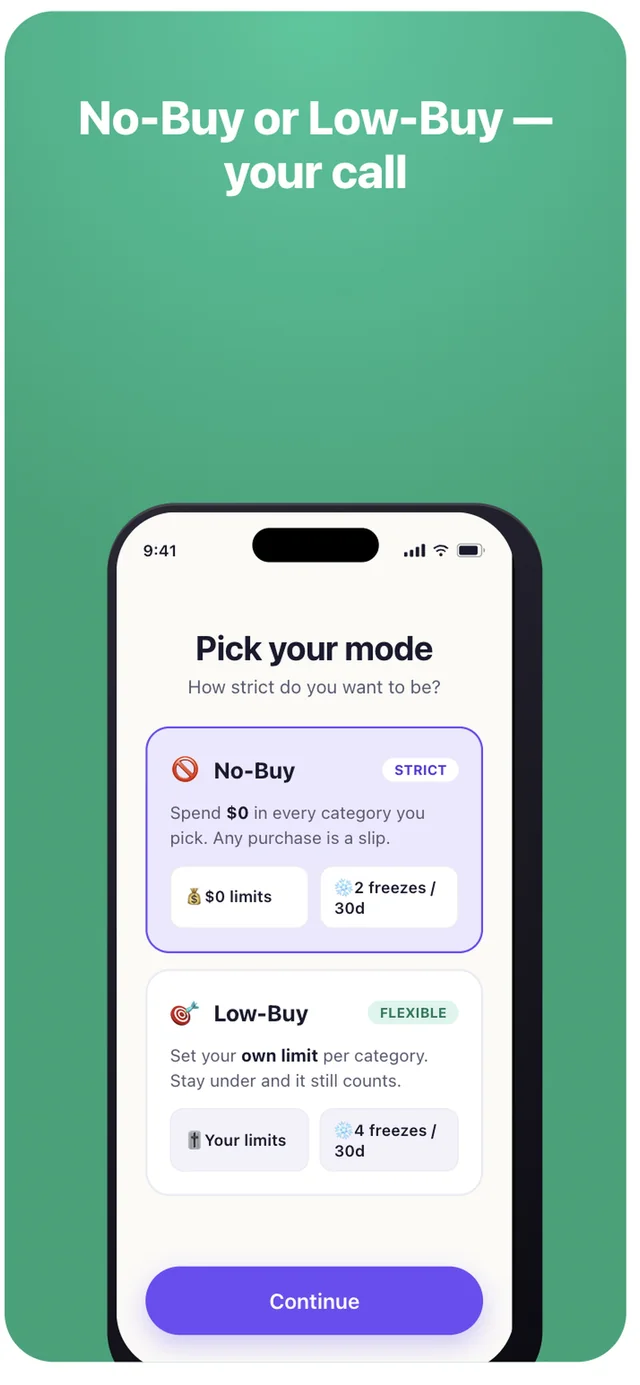
Strict or flexible — your call
No-Buy is $0 in every category you pick and any purchase is a slip. Low-Buy sets your own ceiling and staying under it still counts. Low-Buy gets more freezes, because it is meant to be survivable.
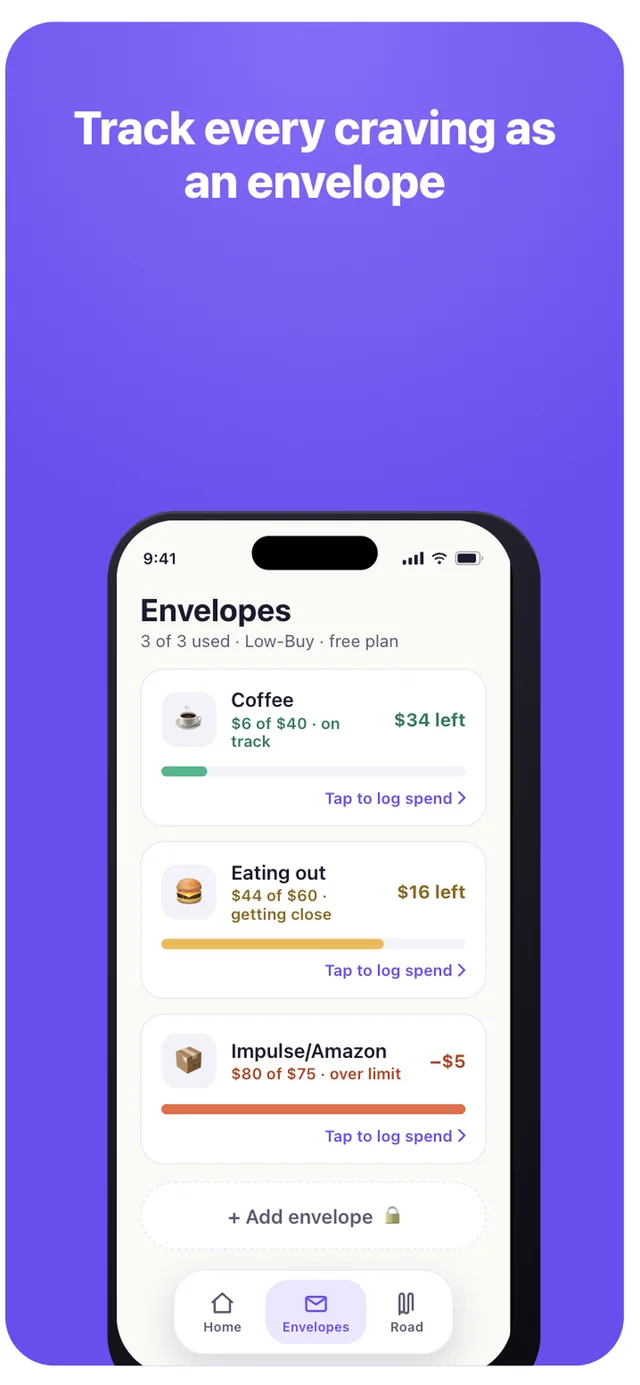
See the overspend coming, not the receipt afterwards
Digital cash stuffing. Each envelope runs green to amber as you log spending, so “getting close” arrives while you can still act on it.
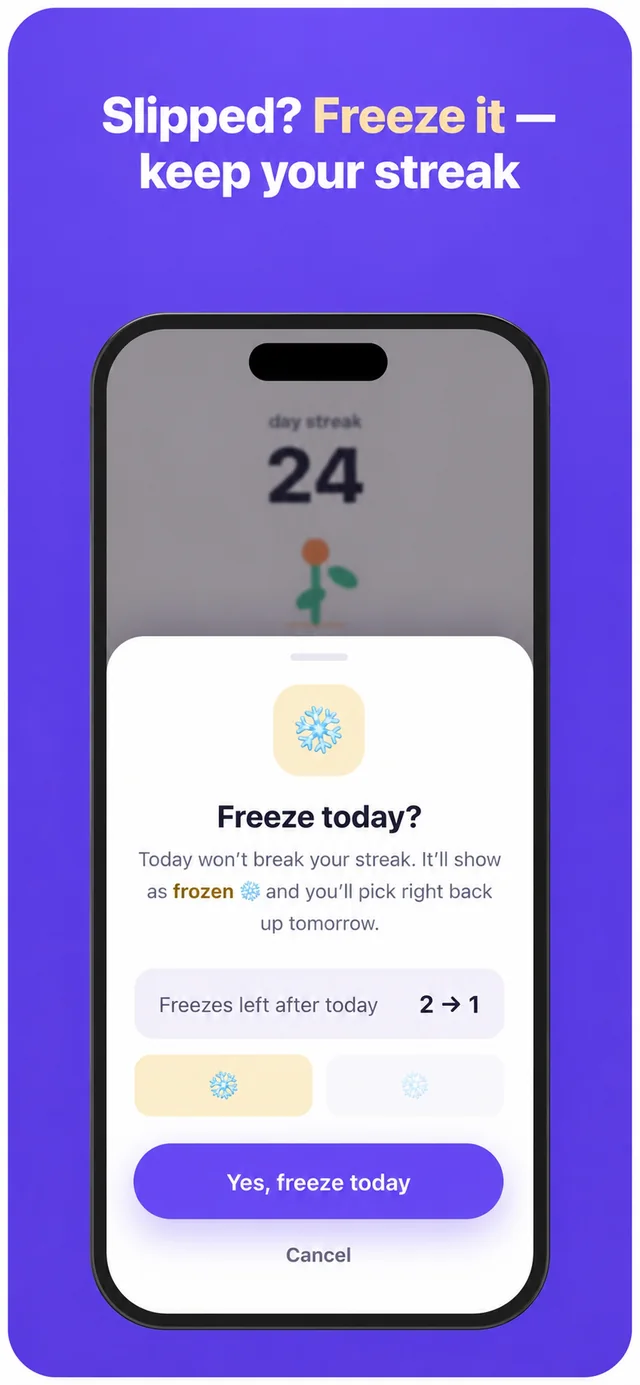
One bad day does not erase thirty good ones
Slip up and a freeze covers the day. The streak survives, the history stays honest — it shows as frozen, not as a win — and you carry on instead of rage-quitting at day 11.
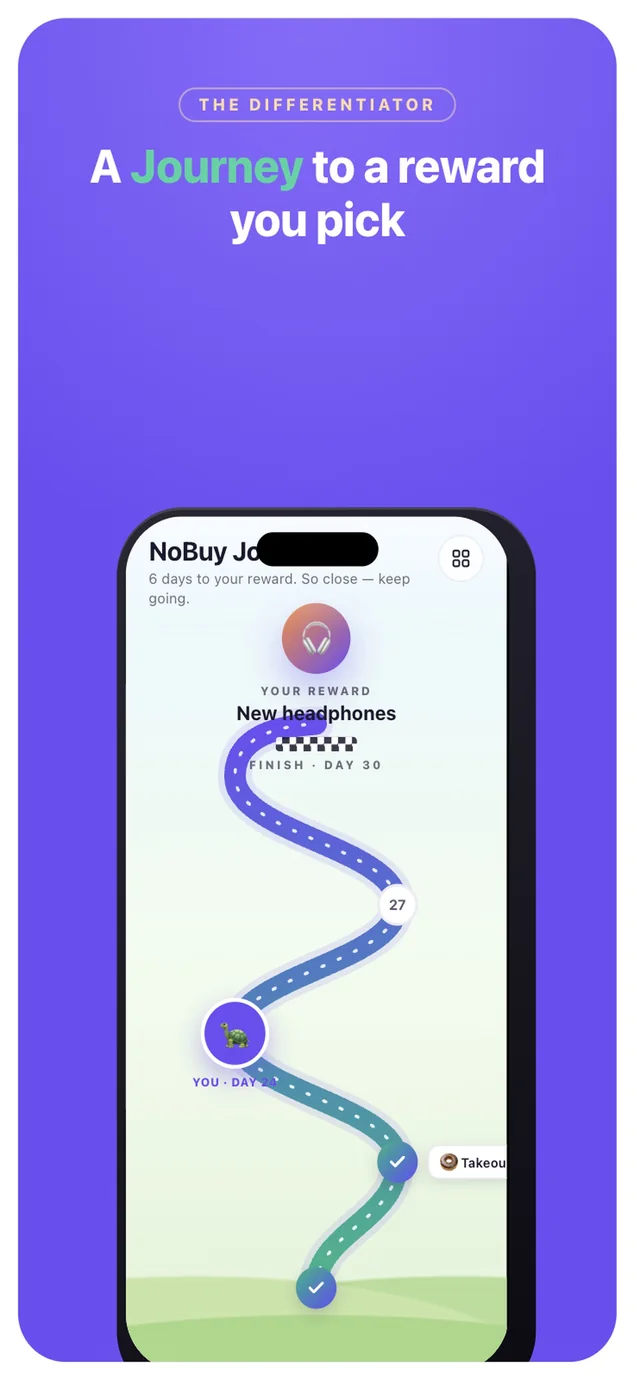
The whole run, as a road
Every day is a step: wins, frozen days, and slips, with your reward sitting at the end of the path. Scroll back through the thing you have already got through.
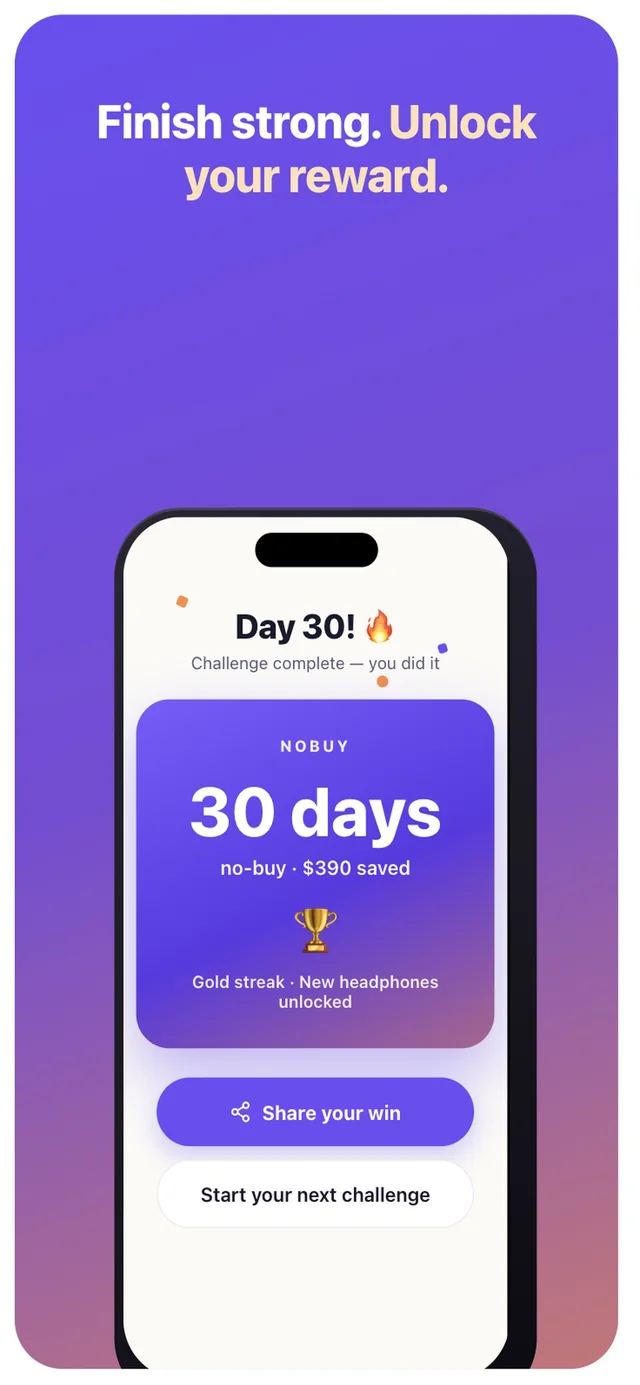
A finish worth screenshotting
Days, streak and money saved on one card, ready to post. This is the part people send to a friend — which is also how the next person finds it.
New since launch
Everything below shipped after the first version, most of it because someone asked for it. All of it is in the app you would download today.
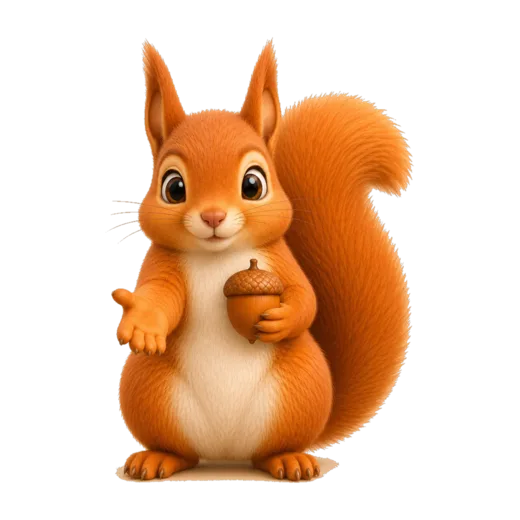
Hazel, in the corner
A squirrel who reads the state you are actually in — first week, low on freezes, a wishlist cooldown that just ended — and says the one useful thing. She coaches and celebrates. She never shames you for a slip.
A wishlist with a cooldown
Park the urge instead of buying it. Give the item 24 hours, 3 days or 7 days; when the cooldown ends the app asks “Still want it?”. If you do, buy it with a clear head. Most of the time you will not.
The “Tempted?” pause
A ten-minute breathing timer for the moment your thumb is over the buy button. It runs on the clock, not the screen, so you can lock the phone and put it face down — the countdown keeps going.
A challenge for every month
Monthly templates — No-Buy January, Frugal February, No-Spend September — pre-fill the mode, the categories and the length. Start one in two taps, then change whatever you like before you begin.
Your streak on the Home Screen
An iOS widget that moves through the day on its own: a morning nudge, what you have kept by the afternoon, a reminder before the day runs out, a celebration once you have checked in. On iOS 17 and later you can check in straight from it.
Every challenge you have run
Finished runs are archived with their days, streak and total, plus lifetime figures across all of them. Your most recent run is free to look back at; Premium keeps the whole shelf.
What a month looks like
Say the leak is takeaway and late-night Amazon. You start a 30-day No-Buy on those two categories and set the reward at the end to a pair of headphones you have wanted for months.
Days 1–6 are easy, because early days always are. The plant is a sprout, the number is small, and you check in without thinking.
Day 11 is the Thursday you get home late and order food. Before NoBuy this is where the whole thing quietly ends. Instead you spend a freeze: the day shows as frozen rather than won, the streak holds at 11, and one freeze remains.
Day 19 the eating-out envelope goes amber at $44 of $60. That is the warning arriving while you can still do something with it, rather than a total you read on the first of the month.
Day 30 the card says 30 days, $390 not spent, reward unlocked. You screenshot it, because a number you earned is worth showing — and someone in your replies asks what app that is.
An illustration of how the mechanics fit together, not a customer story. Your own numbers depend entirely on what you were spending before.
Honestly, how it compares
NoBuy is a game first and a money tool second. That is a real trade-off, so here is where the alternatives beat it.
| Instead of NoBuy | Price | Where it is better | Where it leaves you |
|---|---|---|---|
| YNAB | $109 / year | The most powerful zero-based budgeting tool there is, and the method genuinely works. | Expensive, a real learning curve, and it wants your whole financial life before it gives you anything. |
| Goodbudget | Freemium | Clean digital envelopes, well built, shared budgets across a household. | Utilitarian. No challenge, no streak, nothing that makes you want to open it on day 12. |
| Paper envelopes / a spreadsheet | Free | Tangible, completely yours, and the cash-stuffing ritual is the reason the method went viral. | Manual, not in your pocket at the till, and no memory of the streak you are protecting. |
| Doing nothing | Free | No effort, and honestly the right answer if your spending is not bothering you. | The overspending continues, and the next “where did it all go” moment is already scheduled. |
The gap NoBuy fills is the motivation loop — a challenge, a streak that forgives, and a result worth sharing — wrapped around just enough envelope tracking to be useful. If what you need is full zero-based budgeting, YNAB is the better buy and this page will not pretend otherwise.
What it costs
Free forever
$0
- One active challenge
- Three envelopes
- Streaks, freezes and your plant
- Home Screen widget
- Share cards
Not a trial. No card, no expiry.
Premium
$3.99/month
- Unlimited challenges and envelopes
- Custom durations
- Extra freezes and your full history
- Premium hero styles, Journey and card themes
Also $1.99 a week, or $29.99 a year — your first month of the yearly plan is $0.99. Extra freezes on their own are $0.99 for three or $2.99 for ten, no subscription needed.

Questions people actually ask
Is NoBuy free?
Yes, and not as a trial. One active challenge, three envelopes, streaks, freezes, your plant, the Home Screen widget and share cards are free forever with no time limit. Premium adds unlimited challenges and envelopes, custom durations, extra freezes, cosmetics and full history for $1.99 a week, $3.99 a month, or $29.99 a year — your first month of the yearly plan is $0.99.
Do I have to connect my bank?
No. NoBuy never asks for a bank connection, a card, or read access to your transactions. You tell it what you spent; that is the whole data model.
Do I need an account?
No. There is no sign-up. You can start a challenge within about a minute of opening the app for the first time.
What is the difference between No-Buy and Low-Buy?
No-Buy is strict: $0 in every category you picked, and any purchase in one of them is a slip. Low-Buy is flexible: you set your own limit per category, and staying under it still counts as a good day. Low-Buy also gets more freezes, because it is designed to be sustainable over a longer run.
What happens when I slip up?
You use a freeze. The day is marked frozen rather than won, your streak survives, and you pick straight back up tomorrow. Freezes are limited on purpose — the point is that one bad day should not delete thirty good ones, not that slips are free.
How does it know how much I saved?
It is an estimate built from the typical spending you enter yourself, not a reading of your accounts. Treat the number as a motivating approximation of what you did not spend, not as a bank balance.
Where does my data live?
The things you type — notes, reward names, category names and every amount — stay on your phone, and never reach us. The app does send anonymous usage events (that a check-in happened, that a paywall was viewed) so we can see which features people actually reach; those events never contain your text or your numbers. No ads, no advertising identifier, no cross-app tracking, nothing sold. The privacy policy sets out exactly what is and is not collected.
Is there an Android version?
Yes. NoBuy is on Google Play as well as the App Store. The Android build has everything the iPhone version does — challenges, envelopes, freezes, the Journey, the wishlist, the “Tempted?” pause and Hazel — except Home Screen widgets, which are iOS-only for now.
Can I run more than one challenge at once?
One at a time on the free plan, which is usually the right number. Premium unlocks running several in parallel and setting custom durations instead of the standard 30 days. Either way there is a monthly template waiting — No-Spend September, Frugal February — if you would rather not build one from scratch.
Can I see my old challenges?
Yes. Every finished run is archived with its days, streak and total, and there are lifetime figures across all of them. Your most recent run is free to look back at; Premium keeps the full history rather than just the last one.
Who is Hazel?
The squirrel who lives in the corner of your home screen. She reads where you actually are — your first week, your last freeze, a wishlist cooldown that just ended — and says the one thing worth saying. She celebrates the wins and stays kind about the slips; the app is built so that a bad day is never something you get told off for.
Is this a budgeting app?
Not really. A budgeting app wants to account for every dollar you spend. NoBuy only cares about the days you did not spend, and about the few categories where your money actually leaks. If what you need is full zero-based budgeting, a dedicated budgeting app will do that job better — the comparison table above says which and why.
Reading
The thinking behind the app, and how to actually run a challenge without quitting in week two.
- Best cash stuffing apps in 2026, compared honestly
Eight cash stuffing and envelope budgeting apps compared on price, bank sync, partner sharing and sinking funds — including where our own app loses.
- How much can you save on a no-buy year? Do the math
The quick math for a no-buy month or year, a table for any daily or weekly amount, the three leaks that shrink the real number, and a four-line worksheet.
- No-buy list ideas: what to ban, by category
Sixteen categories people put on a no-buy list, how hard each one is to quit, the grey areas to settle first, and four sample lists you can copy tonight.
- No-Spend December: the rules, the gifts and the 26th
A No-Spend December is not a month without gifts. The rules that make it work, the 2026 dates that test it, and the week after Christmas that ends most runs.
- 30 things to do instead of shopping
What to do instead of shopping depends on why you wanted to. Thirty ideas sorted by feeling: bored, stressed, after a treat, lonely, or 11pm with the cart open.
- YNAB alternatives for people who don't want a budget
If YNAB felt like a second job, a cheaper YNAB may not fix it. Five alternatives compared on price, bank linking and the problem each solves, ours included.
- How to not overspend on Black Friday 2026
Black Friday 2026 is 27 November. What the day is really selling, the one question that settles every sale, and a plan that keeps your run alive.
- Low-buy year: how to set the rules and the limits
A low-buy year caps spending instead of banning it. How to pick the categories, where to set each limit, and the rule that stops one bad week ending it.
- No-spend challenge tracker: the free printable
A free printable 30-day no-spend tracker — no email, no sign-up — plus what to write in it and the design mistake that kills most trackers by week two.
- No-Spend January 2027: the rules and the plan
No-Spend January in 31 days: the rules that make it survivable, the week that ends most attempts, and why the people who finish started in December.
- No-Spend November: the rules and the hard week
Nobody mentions that Black Friday is inside November. The dates you are actually signing up for, and the version of the month that survives them.
- No-Spend October: the rules and the two dates
October is the best month to start a no-spend challenge, and it has a 48-hour sale sitting on day six. The rules, the two dates, and a plan for both.
- Why do I keep buying things I don't need?
Because need was never what you were buying. The loop that produces the purchase, the six versions of it, how to spot yours, and what actually changes it.
- The cash stuffing method, and where it breaks
Cash stuffing is envelope budgeting with physical notes. How to set it up, why it works, and the honest limits of it in a card-first world.
- Should I buy this? 7 questions and the 10-minute rule
Seven questions to ask before you buy, the 10-minute rule and why a short pause works, and a cooldown ladder for anything bigger than a snack.
- Best no-spend challenge apps in 2026, compared honestly
Seven no-spend and no-buy challenge apps compared on price, platforms, freezes, cooldowns, widgets and ratings — including where our own app loses.
- What is a no-buy year? The rules, and why they fail
A no-buy year bans non-essential spending in categories you choose. How the rules work, what no-buy, low-buy and slow-buy mean, and the four ways people quit.
- No-spend challenge rules: 7, 30 and 90 days
What counts, what does not, and the grey areas to settle first — the no-spend challenge rules for 7, 30 and 90 days, and what to do on the day you slip.
- A no-spend plan for September to December
A no-spend plan for September to December in four phases, with the real dates that will try to break it — and what to do when one of them does.
- How to stop impulse buying — put the friction back
Impulse buying is a friction problem, not a willpower problem. The interventions that work, ranked by how little discipline they ask of you later.
Your no-buy era starts today
One tap a day. Free forever, no account, nothing to cancel.