 Stay Offline · iPhone
Put your phone down. Do something instead.
Every screen-time app tells you to stop scrolling. This one answers the question they never do: what do I do instead? A library of real-world hobbies, a streak that grows when you do things, and friends who see it.
- Free to start
- No account needed
- Never blocks anything
From “I should use my phone less” to doing something, tonight
The resolve arrives on a Sunday night and is gone by Tuesday. Three steps turn it into a habit before it fades.
- 1
Say how much time you want back
A quick onboarding asks how much time your phone takes each day and how much of it you want to reclaim — then shows what that adds up to over a year, and hands you a first activity to schedule.
- 2
Pick something real to do tonight
Browse the library by the time you have — 15, 30, 60 minutes — indoors or out, alone or with people. Every idea comes with a “do this now” button, so the moment of resolve turns into a plan.
- 3
Log it, and watch the trail grow
Two taps to log the session. It becomes a stone on your journey, your streak moves, and the week’s offline hours add up. Miss a day and the trail simply waits.
What you actually use
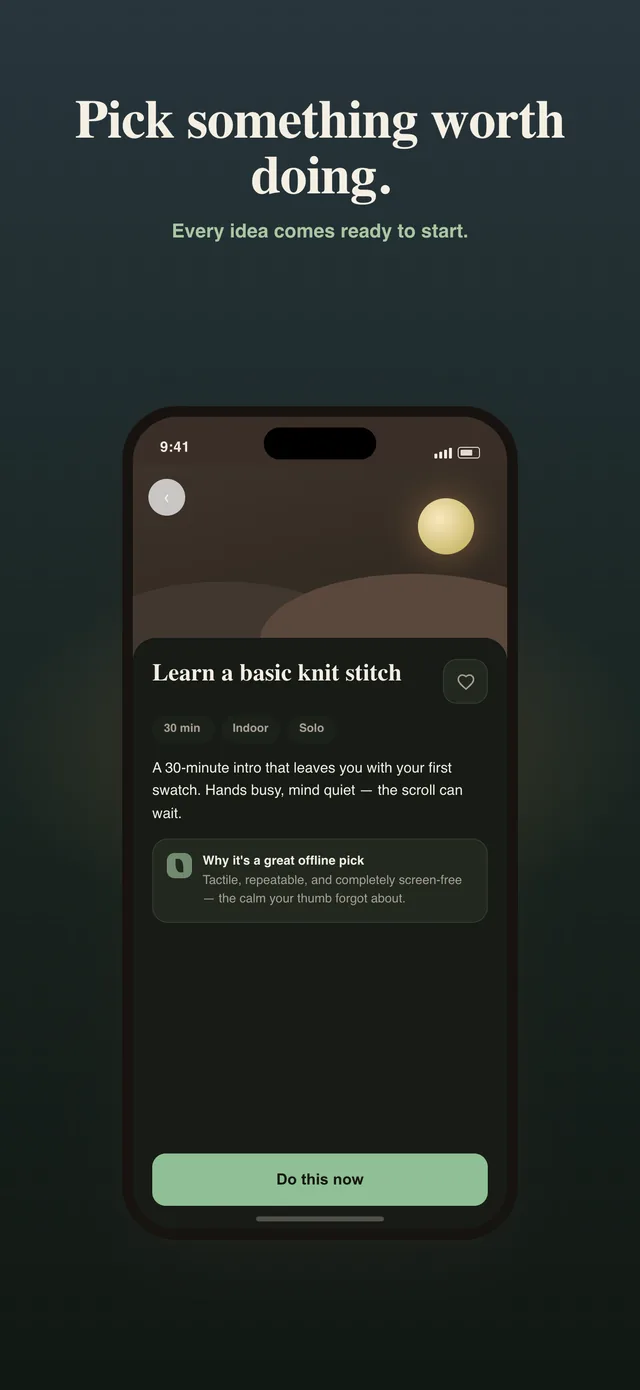
An answer to “I’m bored”, ready to start
Sixteen categories of real-world activities, filtered by the time you actually have and where you are. Each one says what it is, how long it takes, why it works offline — and has one button that starts the session. No research phase, which is where good intentions usually go to die.
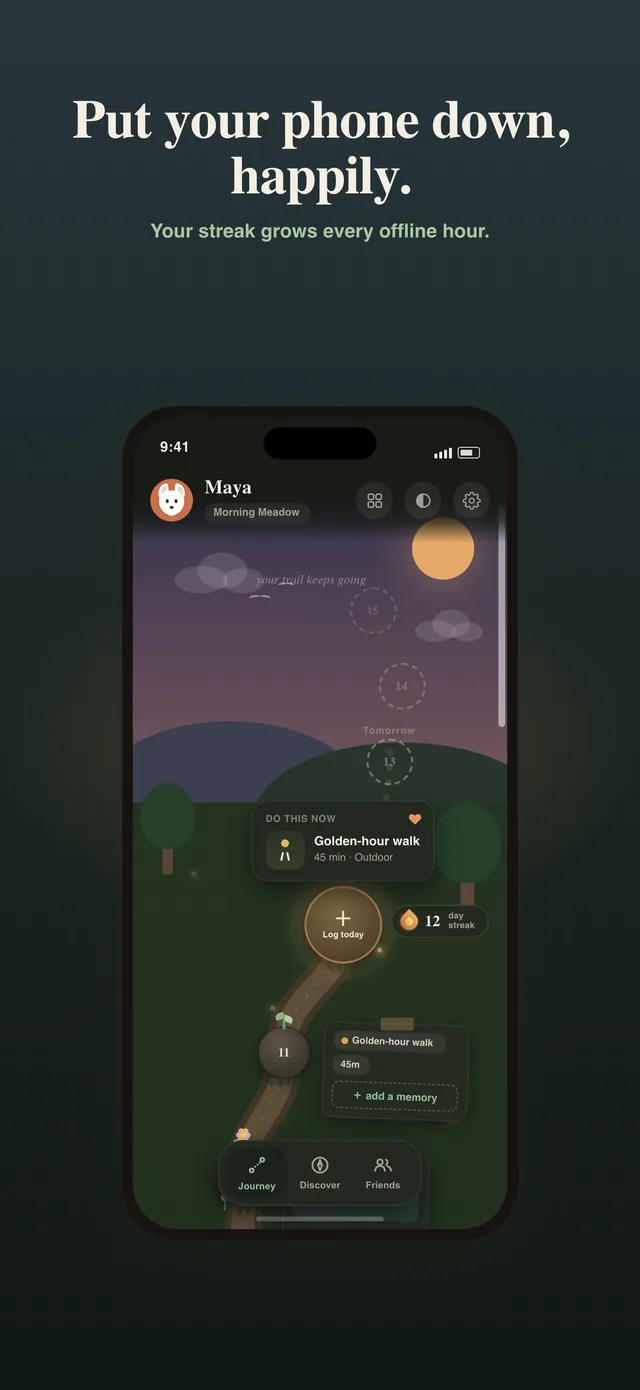
Your offline life, as a trail
Every day you show up is a stone on the path, with a memory tag for what you did and the photo you took. Scroll back through it — it is a keepsake, not a chart.
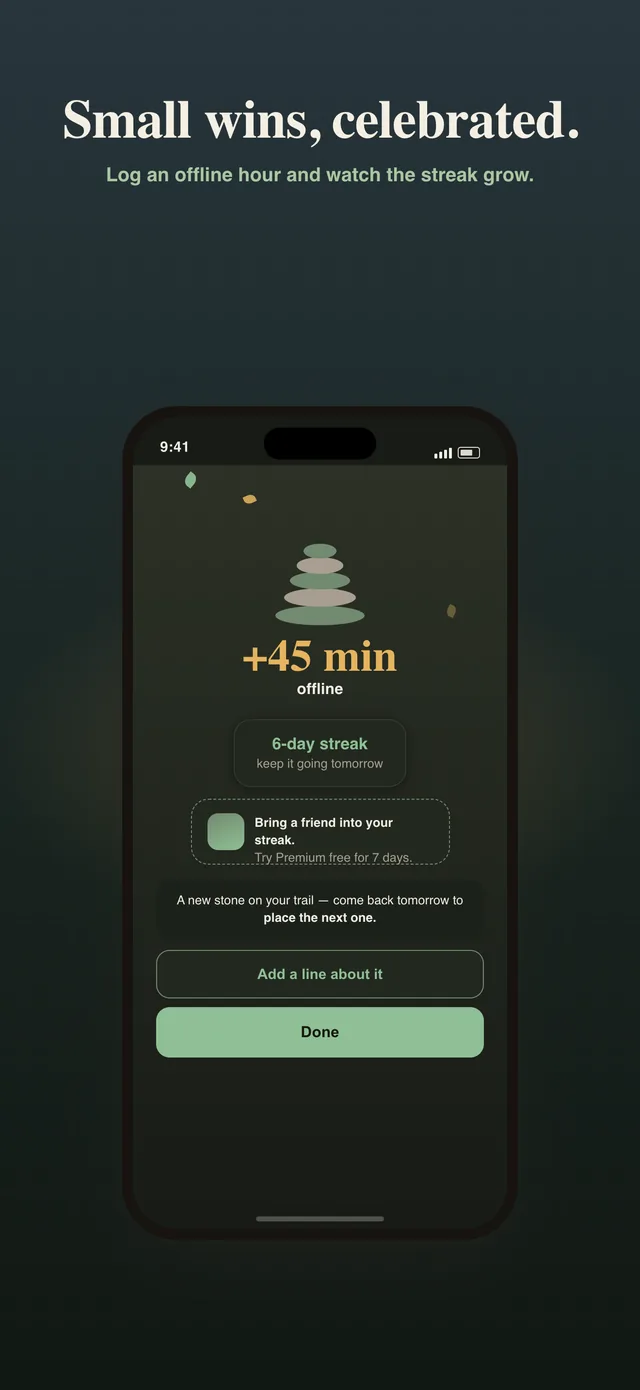
Small wins, celebrated
Log forty-five minutes and the app says so, warmly, and asks whether you want to keep a line about it. There are no red badges anywhere in this app and there never will be.
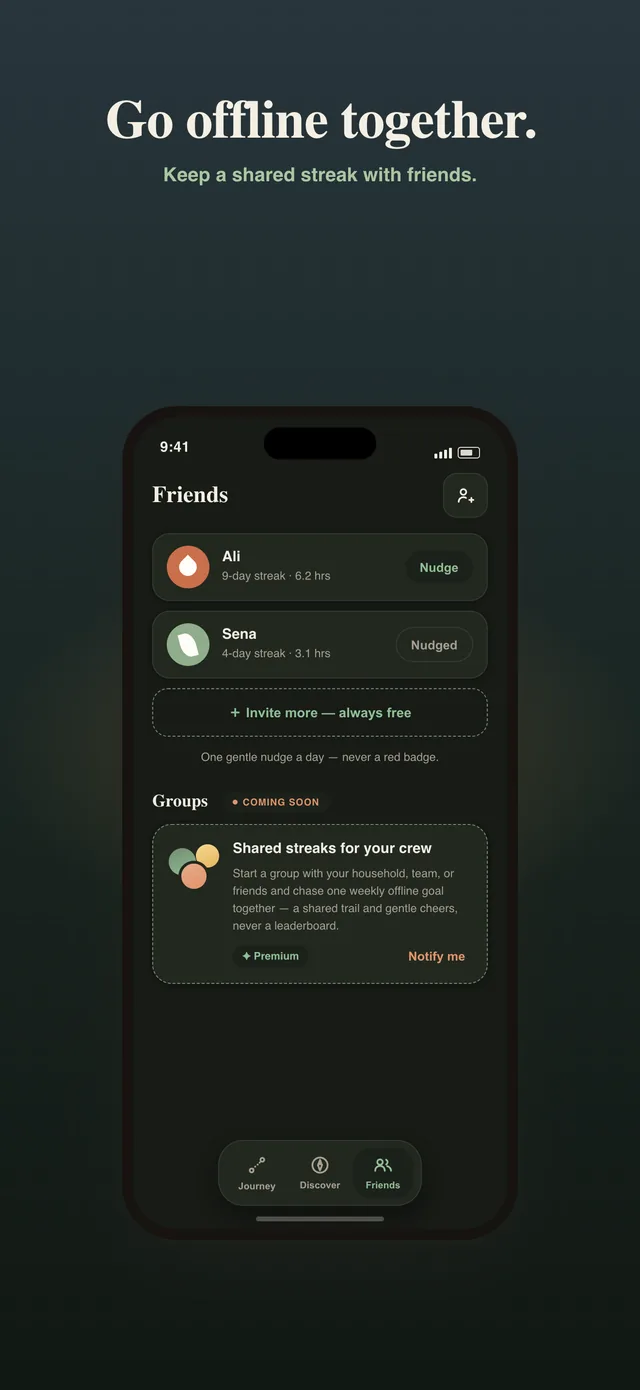
Go offline together
Friends see your streak and your offline hours this week — never your screen time, never your apps. One gentle nudge a day each, no leaderboard, and inviting people is always free.
A Screen Time promise that only you can see
Optionally, you can make yourself a daily promise — “stay under three hours in the apps I pick” — and let your iPhone check it for you. Apple’s Screen Time frameworks count the minutes on your device; Stay Offline only ever learns whether the promise was kept.
Kept, and a stone goes down on your trail by itself the next morning. Slipped, and the app says so gently and moves on. It never blocks an app, never shields a screen, and never learns which apps you chose or for how long you used them — that data never leaves your phone.
The promise is free and optional. The app is complete without it; it is there for the days you want a witness who is not a person.
What the first week looks like
Say it is Sunday night and the week’s screen time report has just made you wince. You tell the app you want an hour a day back, it shows you what that is over a year, and it suggests a golden-hour walk for tomorrow: forty-five minutes, outdoors, on your own.
Monday you take the walk and log it in two taps. First stone on the trail, first line in your journey — “the light on the river” — and the First Week challenge ticks over to one of three.
Wednesday is a write-off; you get home late and scroll. Nothing happens. No red badge, no broken chain. The trail just waits.
Thursday you pick a thirty-minute indoor thing from the library — a knit stitch, as it happens — because the filter only showed what fits a weeknight. You send your friend an invite; she joins for free and you can see each other’s streaks.
Sunday the app shows four and a half hours offline this week, a card you can share, and the same report that made you wince is a little smaller. That is the whole loop.
An illustration of how the mechanics fit together, not a customer story. Your own week depends entirely on what you pick up.
Honestly, how it compares
Stay Offline is a hobby finder first and an accountability tool second. That is a real trade-off, so here is where the alternatives beat it.
| Instead of Stay Offline | Price | Where it is better | Where it leaves you |
|---|---|---|---|
| Opal, one sec, Freedom | $0–$100 / year | Serious blocking and friction. If you need the phone physically locked away from you, these do it well. | They stop the scrolling and then leave you with the boredom that caused it. Most people uninstall within weeks. |
| Forest | Paid | A lovely focus timer, and the tree makes a work session feel like something. | Built for concentrating on a task, not for finding a life outside the phone. Solo by design. |
| BePresent, Poke, ScreenZen | Free–$60 / year | Positive social accountability — friends and streaks around using the phone less. | Still framed around abstinence: the streak is for not doing something. None of them answer “then what?” |
| Doing nothing | Free | No effort, and the right answer if your screen time is not bothering you. | The Sunday-night “I wasted the whole weekend” feeling is already scheduled for next week. |
The gap Stay Offline fills is the “instead”: an answer to boredom, a streak for doing rather than abstaining, and friends who see the result without seeing your screen time. If what you need is a hard lock on your phone, a blocker is the better buy and this page will not pretend otherwise.
What it costs
Free
$0
- The full hobby library
- Logging, streaks and your journey
- Friends and nudges
- The Screen Time promise
- Joining a circle
No time limit, no card.
Premium
$3.99/month
- Personalised activity picks
- Deeper stats
- Streak insurance for a missed day
- Create circles — shared weekly goals with up to twelve people
Or $24.99 a year with a 7-day free trial on the annual plan.
Questions people actually ask
Is Stay Offline free?
Yes. The hobby library, logging offline time, streaks, the journey, friends, nudges and the Screen Time promise are all free with no time limit. Premium adds personalised picks, deeper stats, streak insurance and the ability to create circles, for $3.99 a month or $24.99 a year with a 7-day free trial on the annual plan.
Is this an app blocker?
No. Stay Offline never blocks, shields or locks anything. The bet is that people do not need another thing telling them to put the phone down; they need something to pick up instead. The optional Screen Time promise only checks, on your own device, whether you kept a daily limit you set for yourself.
Does it see which apps I use?
No. If you set a Screen Time promise, Apple’s own frameworks count the minutes on your iPhone and tell the app one thing: kept or slipped. The app never learns which apps you selected or how long you used them, and nothing about your usage is uploaded anywhere.
Do I need an account?
No. The app creates a quiet guest profile on first launch and you can use everything solo without ever signing in. Signing in with Apple or Google is only needed when you add friends or join a circle, and it keeps everything you already logged.
What happens if I miss a day?
The trail waits. There are no broken-chain graphics, no guilt screens and no red badges; the next stone simply goes down when you next log something. Premium includes streak insurance, which covers a missed day automatically.
What do my friends actually see?
Your avatar, your current streak and your offline hours for the week, updated when you log. They never see your screen time, your apps, your journey stories or your photos. Each friend can send you one gentle nudge a day, and there is no leaderboard by design.
What is a circle?
A circle is three to twelve people pooling their offline hours toward a shared weekly goal — five, ten or twenty hours — and keeping a weekly streak together. It is collective rather than competitive. Creating one needs Premium; joining is free.
Is there an Android version?
Not yet. Stay Offline is on the App Store for iPhone today. An Android release is planned once the iPhone version has settled.
Where does my data live?
Your sessions, journey and friendships are stored with our backend provider so they survive a new phone, protected so only your account can read them. Journey photos are private by default and there is no public feed. Screen Time data never leaves your device. The privacy policy sets out exactly what is and is not collected.
Your phone can wait
Pick one real thing to do tonight. Free to start, no account, nothing to cancel.